Google Maps Crashes Bluetooth Connection

OP
OP

Maddy3

Outer Banks
Member
First Name
Madison
Joined
Jul 12, 2021
Threads
3
Messages
24
Reaction score
12
Location
TN
Vehicle(s)
Bronco Sport
Thanks, Me3! I compared Google maps settings on both phones, and I have them set to the same things, so this is just a mystery. And I wish I could get used to Apple CarPlay, but haven't been able to yet.
Sponsored


 

Dude

Badlands
Well-Known Member
Joined
Sep 20, 2022
Threads
108
Messages
4,345
Reaction score
5,013
Location
Arizona
Vehicle(s)
2022 Bronco Sport Badlands
@Maddy3 unless that other phone has the same issue with Bluetooth which stops working, it might be with your iPhone (the one on 18.3.2) and may well be a hardware issue with Bluetooth because there just aren’t known issues with 18.3.2

Which iPhone model do you have for the one on 18.3.2 ?

You could call Apple (800-275-2273) and they can run diagnostics which I think they will do at no cost or get to an Apple Store if there is one near you
( I don’t know how good the diagnostics are and if they even check Bluetooth )

Finally there is iOS 18.4 which you could install. Personally I’m waiting for 18.4.1 because some iPhone owners have reported CarPlay issues with 18.4 but that won’t affect you because you aren’t using CarPlay - Google “iOS 18.4 known issues” to decide if you want to make that leap (but you already posted 18.4 is “buggy”)
 
OP
OP

Maddy3

Outer Banks
Member
First Name
Madison
Joined
Jul 12, 2021
Threads
3
Messages
24
Reaction score
12
Location
TN
Vehicle(s)
Bronco Sport
Yeah, I haven't installed 18.4 because I heard it's buggy too. I have the 15 pro, and like I said, it always worked fine, but you're right, I guess there could be some type of hardware problem that's deceloped
 

Mark S.

Badlands
Well-Known Member
First Name
Mark
Joined
Oct 30, 2021
Threads
119
Messages
6,733
Reaction score
13,152
Location
St. Jacob, IL
Vehicle(s)
2021 Badlands | 2020 Escape
I have not seen anyone suggest a master reset of your SYNC system. I generally do a master reset every time I get an Android update. I'm not familiar with how iPhones work, but if you have a way of clearing the cache/data for the Google Maps app I would do that as well.

We've been using SYNC 3-equipped cars since 2017, and I've yet to experience an issue that I couldn't resolve with a SYNC master reset.
 
OP
OP

Maddy3

Outer Banks
Member
First Name
Madison
Joined
Jul 12, 2021
Threads
3
Messages
24
Reaction score
12
Location
TN
Vehicle(s)
Bronco Sport
Thanks, Mark! I think I did a reset when it first started happening, but I'll do another one today!​


OP
OP

Maddy3

Outer Banks
Member
First Name
Madison
Joined
Jul 12, 2021
Threads
3
Messages
24
Reaction score
12
Location
TN
Vehicle(s)
Bronco Sport
Well guess what, troubleshooting partners, we have an answer! I had done many many things before I even posted this, and then took all of y'all's advice as well and nothing worked. Finally called Apple, which I probably should have at the beginning, and she said that this is a known issue and that they've had many reports about it. The others that have called have reported issues with newer versions of iOS, but I told her that they need to look back to the later versions of 17 and also the first 18. Hopefully they will have a fix soon. Thank you all for everything.
 
  • Like
Reactions: Me3

Dude

Badlands
Well-Known Member
Joined
Sep 20, 2022
Threads
108
Messages
4,345
Reaction score
5,013
Location
Arizona
Vehicle(s)
2022 Bronco Sport Badlands
Well guess what, troubleshooting partners, we have an answer! I had done many many things before I even posted this, and then took all of y'all's advice as well and nothing worked. Finally called Apple, which I probably should have at the beginning, and she said that this is a known issue and that they've had many reports about it. The others that have called have reported issues with newer versions of iOS, but I told her that they need to look back to the later versions of 17 and also the first 18. Hopefully they will have a fix soon. Thank you all for everything.

That’s great news!!

Post again when you have your iPhone on iOS 18.4.1 or later (supposed to be released next week)

Let us know if the Bluetooth issue gets resolved on your iPhone 15 Pro
 
OP
OP

Maddy3

Outer Banks
Member
First Name
Madison
Joined
Jul 12, 2021
Threads
3
Messages
24
Reaction score
12
Location
TN
Vehicle(s)
Bronco Sport
Unfortunately, from what she said, they're supposedly "working in it" but there is no ETA for a fix right now, and from what it sounded like there would be zero chance of that by next week. But again, she said the other reports have been more recent, so hopefully me telling them around when this started will give them a little more of an IOS bull's-eye to look at with the earlier versions to see what's different and what might have happened.
 

Dude

Badlands
Well-Known Member
Joined
Sep 20, 2022
Threads
108
Messages
4,345
Reaction score
5,013
Location
Arizona
Vehicle(s)
2022 Bronco Sport Badlands
And what is even more odd, there have been no posts on this Forum with that specific issue

Many issues however don’t impact all iPhones running the same software version in the same way

My guess is if you could try a different iPhone 15 Pro with the same iOS 18.3.2 the problem would not occur - you are too far way for me to lend you mine to try

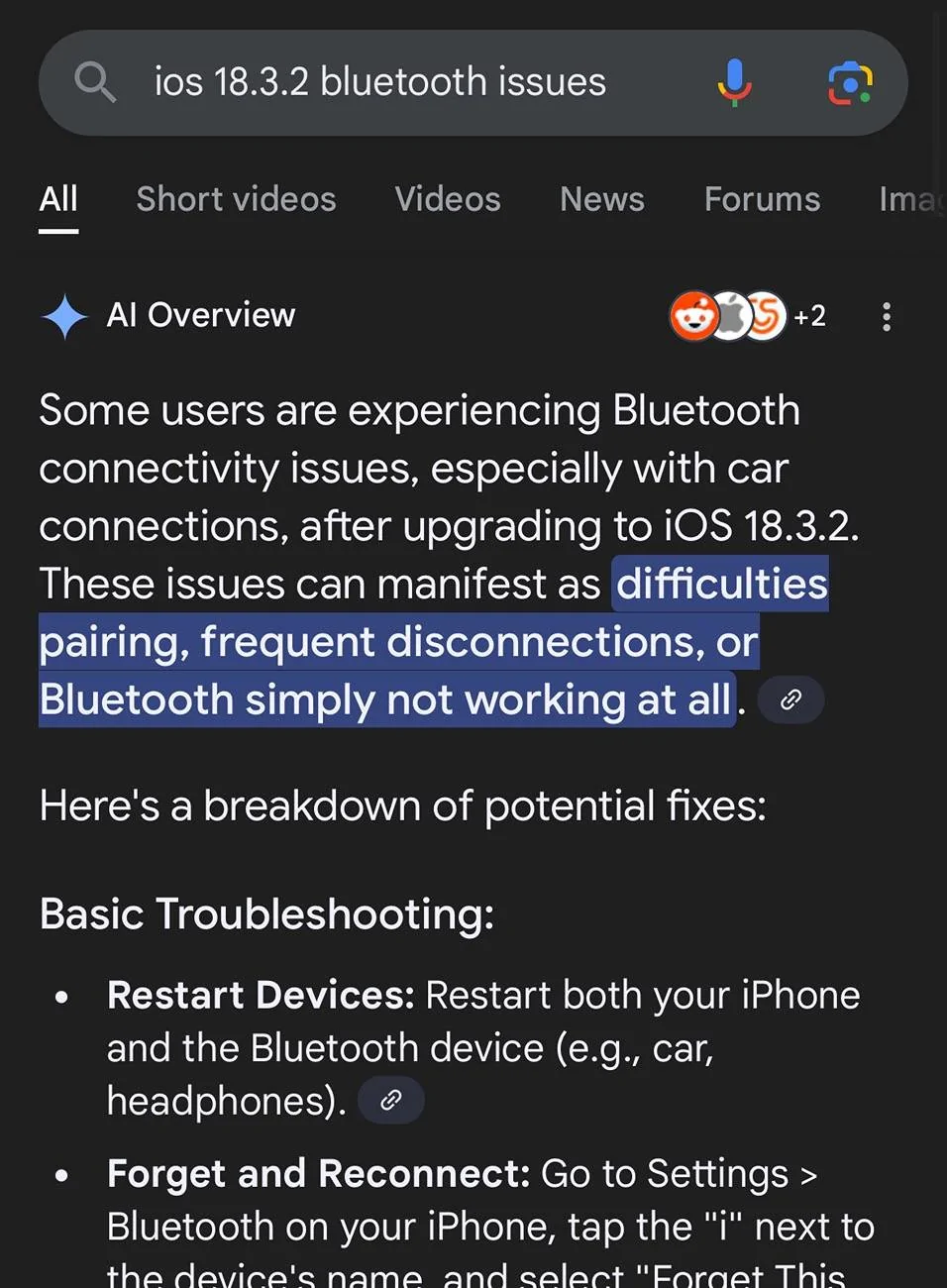
There is this AI Overview but typically this sort of AI overview is very inaccurate

Ford Bronco Sport Google Maps Crashes Bluetooth Connection IMG_5115
 
Last edited:

Dude

Badlands
Well-Known Member
Joined
Sep 20, 2022
Threads
108
Messages
4,345
Reaction score
5,013
Location
Arizona
Vehicle(s)
2022 Bronco Sport Badlands
I do concur with you that there have been quite a few online posts regarding Bluetooth not working in 18.3.*

My recommendation is to plug in and use CarPlay until Apple solves the problem

Who knows you might like CarPlay better like many of us do

And I switch seamlessly from CarPlay back to the sync screen so that is pretty effortless
 
  • Like
Reactions: Me3


OP
OP

Maddy3

Outer Banks
Member
First Name
Madison
Joined
Jul 12, 2021
Threads
3
Messages
24
Reaction score
12
Location
TN
Vehicle(s)
Bronco Sport
Thanks again for everything, Dude!
 

thomasm23

Outer Banks
Well-Known Member
First Name
Tom
Joined
Jun 7, 2021
Threads
33
Messages
709
Reaction score
780
Location
Los Angeles Metro
Vehicle(s)
2021 Bronco Sport
This is a Bluetooth issue that occurs when Apple issues iOS updates. I just had to help someone with this issue.

A Master Reset is the way to go.

You will first have to unpair the Ford Pass app from your vehicle.

Remove all USB cables from any ports in the vehicle.

Unpair all Bluetooth connections on both your vehicle and iPhone.

Turn off your phone and restart.

Turn off your vehicle and wait for all screens to go black. Open and then close the driver’s door.

Restart your vehicle. Select Master Reset from menus on the center screen. After screen comes back, turn the vehicle off again and wait for all screens to go dark. Open and close driver’s door.

Restart the vehicle.

Tap the phone icon on the center screen menu. Follow instructions to add your phone. Test and make sure you are connected.

Pair the vehicle back to the Ford Pass app.

You may have to add you preset entertainment stations back in.
 

Dude

Badlands
Well-Known Member
Joined
Sep 20, 2022
Threads
108
Messages
4,345
Reaction score
5,013
Location
Arizona
Vehicle(s)
2022 Bronco Sport Badlands
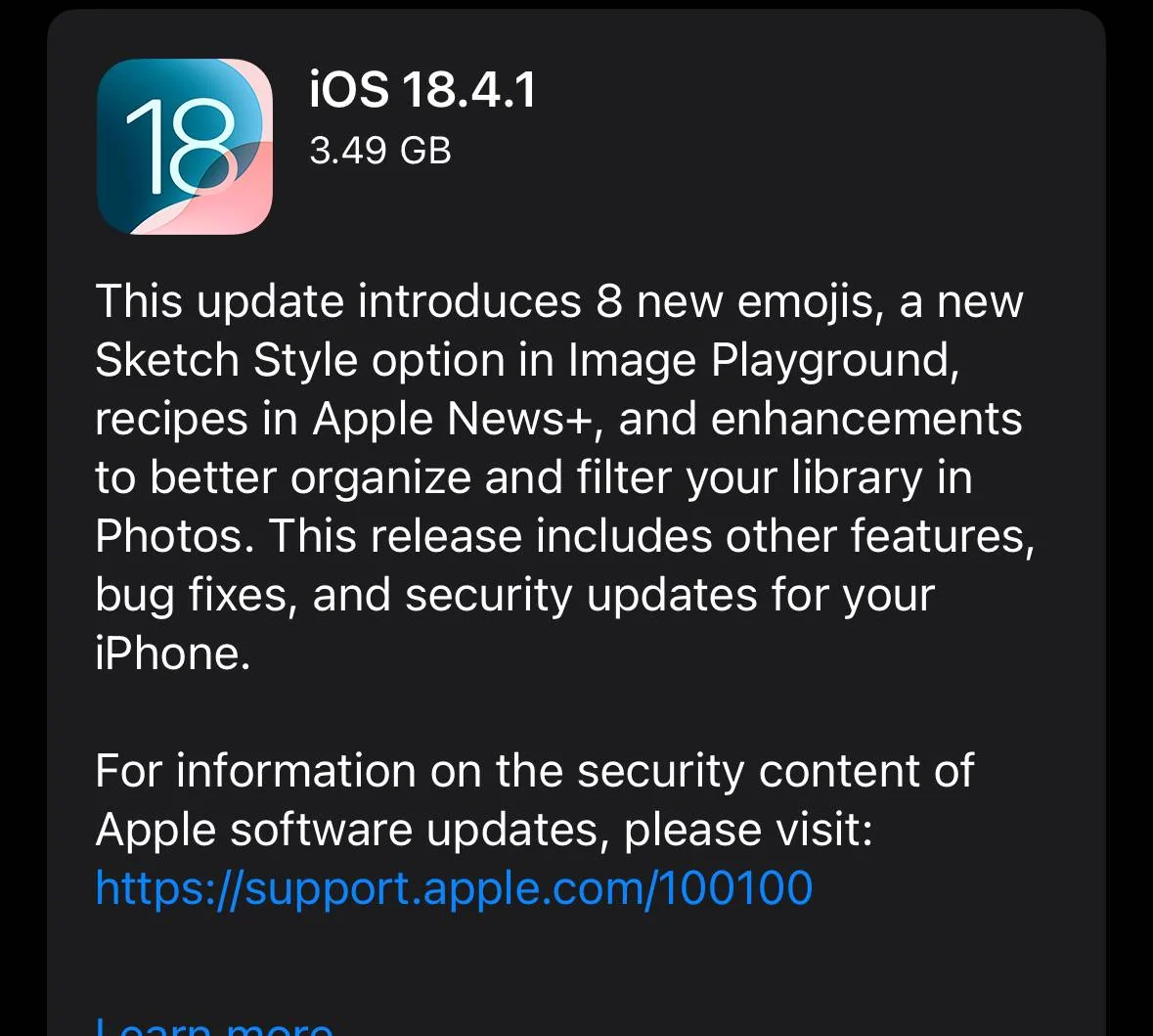
@Maddy3 iOS 18.4.1 is released … I know Apple said it would be “awhile” for a Bluetooth fix but why not upgrade your iPhone 15 Pro and see if your Bluetooth issues are resolved with that update … this release fixes a number of (wireless) CarPlay issues too

Ford Bronco Sport Google Maps Crashes Bluetooth Connection IMG_5144
 
  • Like
Reactions: Me3
OP
OP

Maddy3

Outer Banks
Member
First Name
Madison
Joined
Jul 12, 2021
Threads
3
Messages
24
Reaction score
12
Location
TN
Vehicle(s)
Bronco Sport
Thank you, Dude and Thomasm23!
Sponsored


Top