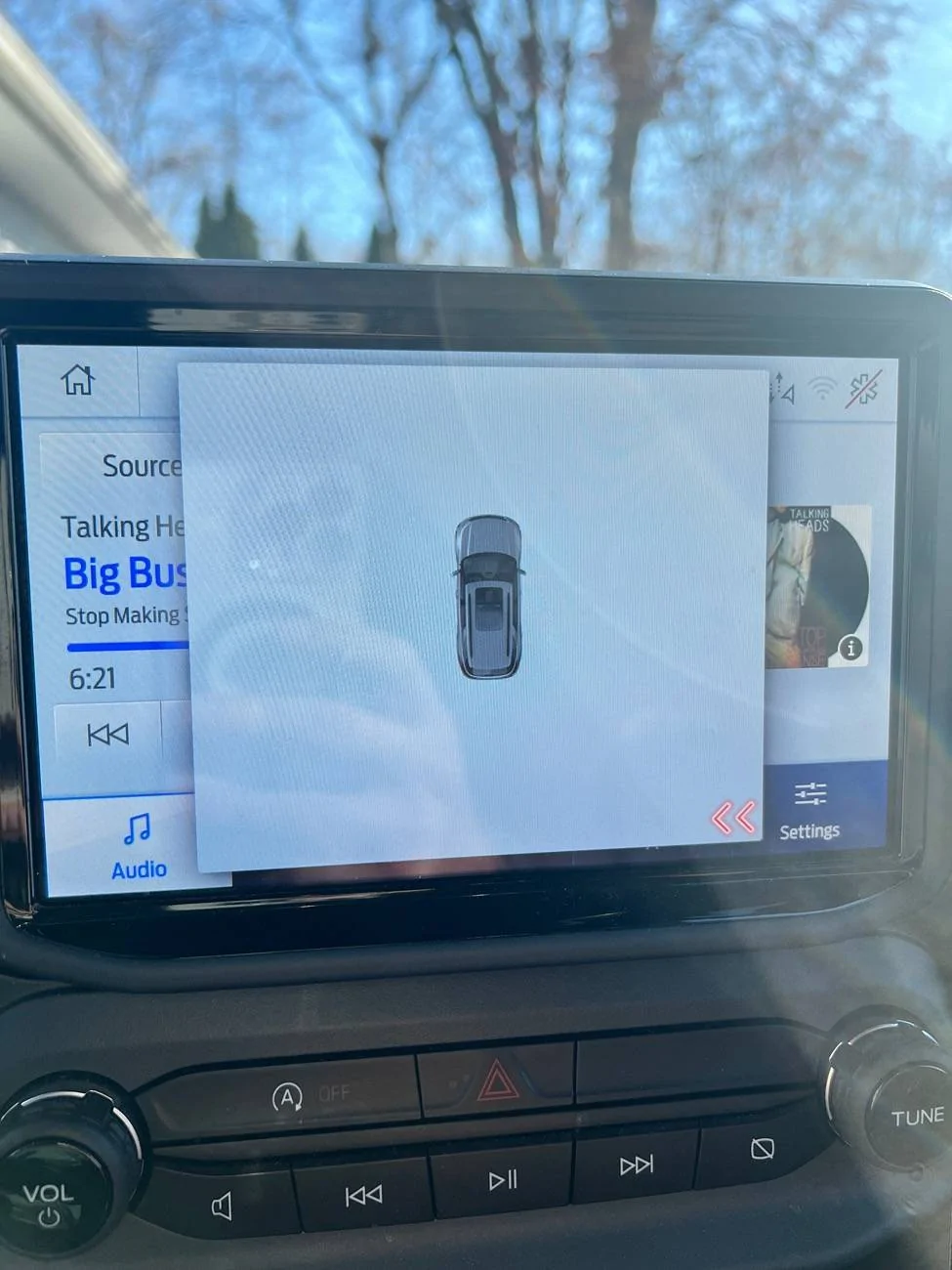
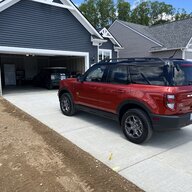
Anyone know what this is and why it wont go away on my nav/sync

BB68

Outer Banks
Active Member
First Name
Bryan
Joined
Feb 18, 2022
Threads
8
Messages
26
Reaction score
15
Location
NJ
Vehicle(s)
Bronco Sport
Ford Bronco Sport Anyone know what this is and why it wont go away on my nav/sync IMG_7180
Pulled out of a parking lot today and had the backup sensors go off as normal and then when I looked at my screen a second later this was there and wouldn't go away unless I clicked out of it. Shut the car off a few times and each time I put the car on and went into reverse, it comes back and doesn't go away. It even stayed once when I shut the car off and didn't click out of it. Any ideas? Thanks.
Sponsored

 
OP
OP

BB68

Outer Banks
Active Member
First Name
Bryan
Joined
Feb 18, 2022
Threads
8
Messages
26
Reaction score
15
Location
NJ
Vehicle(s)
Bronco Sport
What build of SYNC 3.4 do you currently have installed?
I guess it is whatever the latest version is. I had to bring my car in for a repair a few weeks ago and asked if they could update my sync but they checked and it was the current edition.
 

Mark S.

Badlands
Well-Known Member
First Name
Mark
Joined
Oct 30, 2021
Threads
119
Messages
6,733
Reaction score
13,154
Location
St. Jacob, IL
Vehicle(s)
2021 Badlands | 2020 Escape
My guess is one of your sensors is malfunctioning. Could that be a cross-traffic alert?


kshaw

Outer Banks
Well-Known Member
First Name
Kent
Joined
Oct 14, 2023
Threads
22
Messages
296
Reaction score
305
Location
Gaithersburg, MD
Vehicle(s)
Bronco Sport; 350Z; Porsche Boxster S; Hybrid Escape
Is it maybe a malfunction of your backup camera? The car image typically overlays the backup camera image and will display car doors open, whether lights are on, and shows whether your parking assist sensors are working. If you only see the car image, that would be my guess. If you have a high-end OBDII scanner, you could turn the backup camera on and see if it sets any codes.
 

thomasm23

Outer Banks
Well-Known Member
First Name
Tom
Joined
Jun 7, 2021
Threads
33
Messages
711
Reaction score
780
Location
Los Angeles Metro
Vehicle(s)
2021 Bronco Sport
I guess it is whatever the latest version is. I had to bring my car in for a repair a few weeks ago and asked if they could update my sync but they checked and it was the current edition.
We need to know the build version.

Start vehicle
On center screen tap Settings
Scroll to Automatic Updates
Tap Automatic Updates
Tab View Current Software Versions
 

Dude

Badlands
Well-Known Member
Joined
Sep 20, 2022
Threads
108
Messages
4,355
Reaction score
5,027
Location
Arizona
Vehicle(s)
2022 Bronco Sport Badlands
Do the simple check first as stated in Post #8, take a screenshot and post that screenshot please
 

Uncle Brad

Big Bend
Well-Known Member
First Name
Brad
Joined
Jul 4, 2024
Threads
1
Messages
115
Reaction score
216
Location
Indiana
Vehicle(s)
2024 Bronco Sport
Looks to me like it MIGHT be the remnant of a software troubleshooting effort, and your last update got caught in the middle...


Scapino

Outer Banks
Well-Known Member
First Name
Joe
Joined
Nov 3, 2023
Threads
7
Messages
52
Reaction score
29
Location
Concord, NH
Vehicle(s)
2021 Ford Bronco
This might be a dumb question: But I assume you've rebooted (turned the Bronco off, and back on) at some point?


Top