it does not display the time

ttomecki

Badlands
Member
First Name
TOM
Joined
Mar 31, 2023
Threads
2
Messages
11
Reaction score
1
Location
POLAND
Vehicle(s)
BRONCO SPORT
Hello, I have a problem, it does not display the time. I could have changed something in forscan.
someone had such a problem. GPS is Ok, a few seconds after starting it will appear and then disappear.
Ford Bronco Sport it does not display the time 1000017576
Sponsored


BourbonRunner

Heritage
Well-Known Member
First Name
Steve
Joined
Jul 8, 2023
Threads
9
Messages
292
Reaction score
531
Location
Baltimore Area
Vehicle(s)
Bronco Sport
Check your version against the current build/updates. If you search through the forums you should be able to find how to check it ( I can't remember how, sorry) and update. It does take a while to update FWIW, around an hour or so.

Sync is notoriously buggy.
 

thomasm23

Outer Banks
Well-Known Member
First Name
Tom
Joined
Jun 7, 2021
Threads
33
Messages
704
Reaction score
773
Location
Los Angeles Metro
Vehicle(s)
2021 Bronco Sport

BourbonRunner

Heritage
Well-Known Member
First Name
Steve
Joined
Jul 8, 2023
Threads
9
Messages
292
Reaction score
531
Location
Baltimore Area
Vehicle(s)
Bronco Sport
Sync is not notoriously buggy.

SYNC 3.4 Build 22251 has issues. The current Build 23188 runs fine.

https://www.broncosportforum.com/forum/threads/sync-3-4-build-23188-is-the-current-version.11594/
Speak for yourself. I have the latest Sync 3 build and it is full of bugs. Not as bad as the previous but still not perfect. I've had that same "update" done three times and it still isn't right.

And that doesn't speak to the Sync 4 ongoing issues in other vehicles per the dealers.


BourbonRunner

Heritage
Well-Known Member
First Name
Steve
Joined
Jul 8, 2023
Threads
9
Messages
292
Reaction score
531
Location
Baltimore Area
Vehicle(s)
Bronco Sport
Most of the professional reviews I've read about SYNC say it's a rather drab interface, but works well.
That mimics reviews I've read as well.

I think part of my general irritation is a distaste for the things Ford did/didn't do on these and the issues that cannot seem to be diagnosed like my transmission issue or the intermittent Sync problems that are "solved" by reinstalling the software.

I also don't understand at all why they didn't use Sync 4 in this for wireless CarPlay/Android. They installed a charge pad but they could not install the same UI system in the majority of their other vehicles?
 

Dude

Badlands
Well-Known Member
Joined
Sep 20, 2022
Threads
108
Messages
4,339
Reaction score
5,007
Location
Arizona
Vehicle(s)
2022 Bronco Sport Badlands
Hello, I have a problem, it does not display the time. I could have changed something in forscan.
someone had such a problem. GPS is Ok, a few seconds after starting it will appear and then disappear.
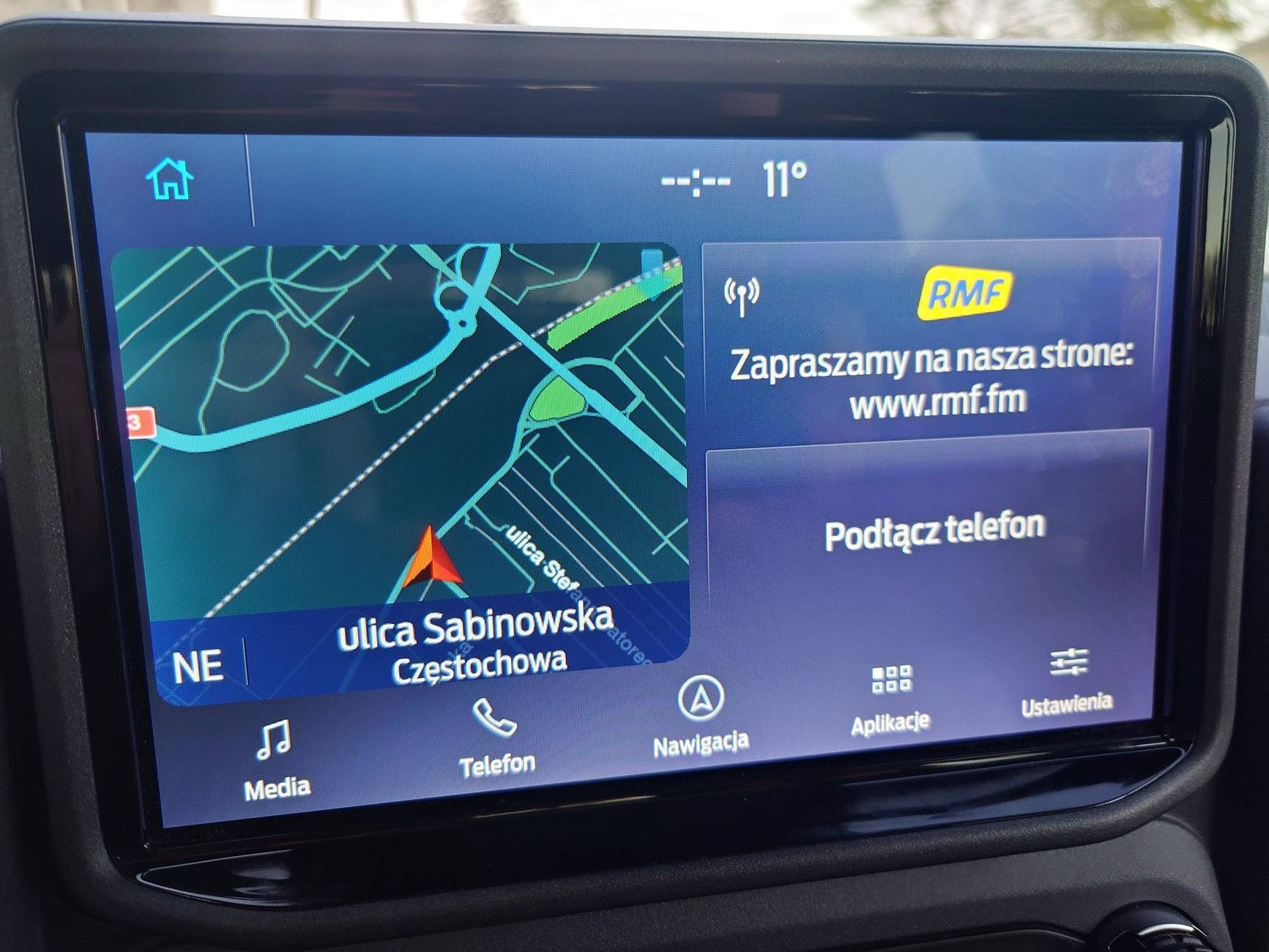
Ford Bronco Sport it does not display the time 1000017576
Since you made FORScan mods and also have latest Sync 23188 it would seem like it would be a good first step to restore your as-built parameters with FORScan assuming you had saved them before making mods

There is a small chance that Customer Satisfaction Program 24B47 may apply to your VIN even though you have Sync 23188 installed - that’s a dealer installed software fix so you can ask your dealership if that applies to your VIN. More info here:
https://www.broncosportforum.com/forum/threads/there’s-a-good-chance-your-ford-needs-a-sync-update-customer-satisfaction-program-24b47.12226/
 

RSH

Badlands
Well-Known Member
First Name
Robert
Joined
Mar 23, 2021
Threads
2
Messages
1,303
Reaction score
1,858
Location
California
Vehicle(s)
Bronco Sport
Whatever you did when using FORScan may have changed the Sync 3 APIM program values. Possibly reloading the as-built APIM values/settings may fix the clock problem.

Go here: https://www.motorcraftservice.com/AsBuilt. Input your VIN and download your vehicle's "AsBuilt Data". You can download the entire file for all modules and use FORScan to write everything or just manually input the fields for the APIM module.


jason202

Badlands
Well-Known Member
First Name
Jason
Joined
Aug 5, 2022
Threads
1
Messages
100
Reaction score
97
Location
Washington, DC
Vehicle(s)
2023 Bronco Sport Badlands, 2009 Volvo C30 T5
How do you get it to display the radio station logo? Mine has never done that.
 

jason202

Badlands
Well-Known Member
First Name
Jason
Joined
Aug 5, 2022
Threads
1
Messages
100
Reaction score
97
Location
Washington, DC
Vehicle(s)
2023 Bronco Sport Badlands, 2009 Volvo C30 T5
Mine displays radio station logo and other info when i tune to an HD FM station
Interesting. Maybe that feature is enabled in one of the updates—my vehicle was built in late 2022 and the software has yet to be updated. Mine displays a generic radio antenna icon in that space.
 

Dude

Badlands
Well-Known Member
Joined
Sep 20, 2022
Threads
108
Messages
4,339
Reaction score
5,007
Location
Arizona
Vehicle(s)
2022 Bronco Sport Badlands
Interesting. Maybe that feature is enabled in one of the updates—my vehicle was built in late 2022 and the software has yet to be updated. Mine displays a generic radio antenna icon in that space.
(Or maybe that’s how it works in Europe for the OP)

Are you still running Sync 22251 or 22200?

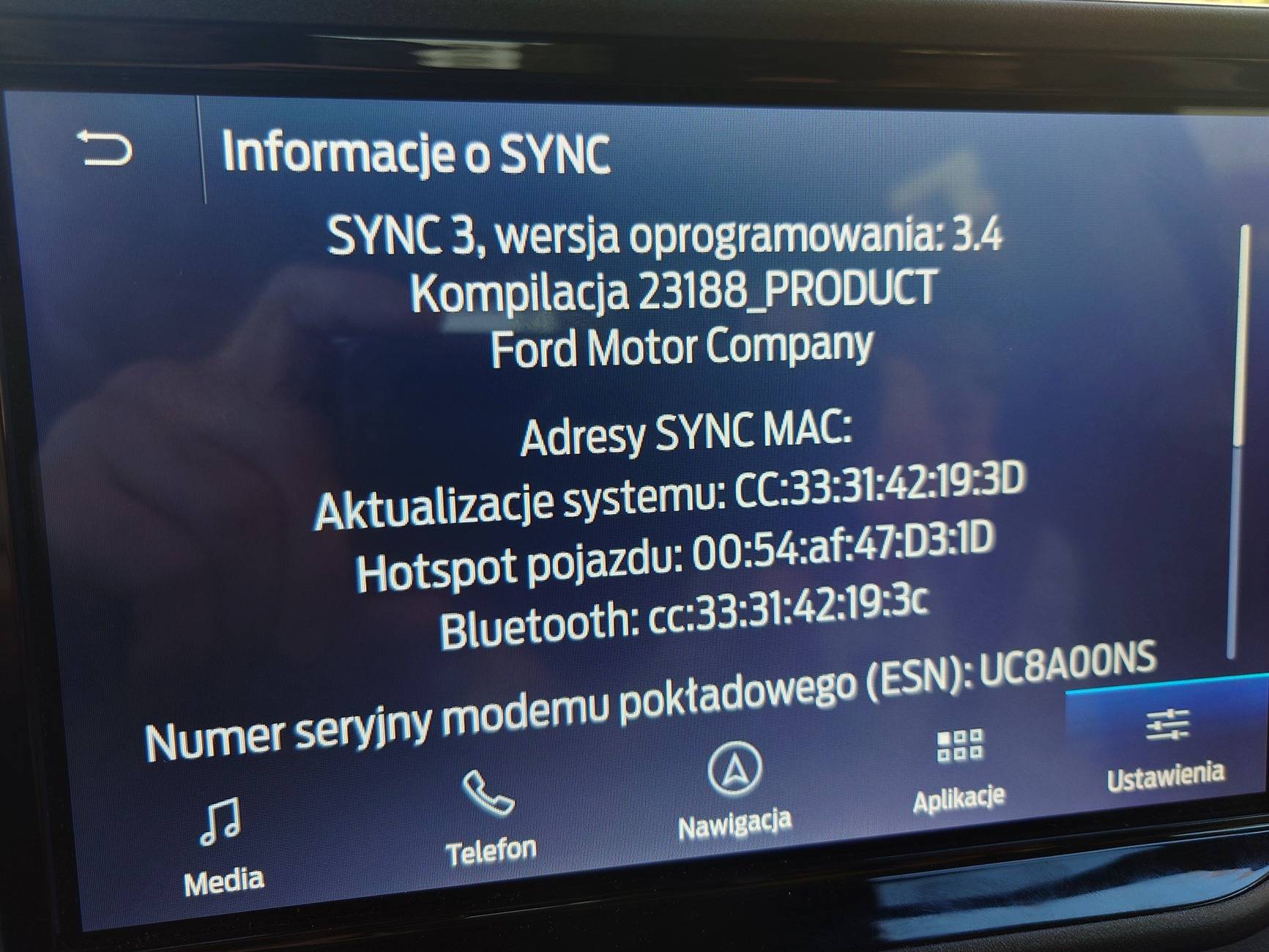
To find your Sync 3.4 Build Version (do not scan for updates):
Select SETTINGS tab, then
Select GENERAL tab, then
Select ABOUT SYNC tab
It will show the Build Version (latest is 23188 Product).
 

jason202

Badlands
Well-Known Member
First Name
Jason
Joined
Aug 5, 2022
Threads
1
Messages
100
Reaction score
97
Location
Washington, DC
Vehicle(s)
2023 Bronco Sport Badlands, 2009 Volvo C30 T5
(Or maybe that’s how it works in Europe for the OP)

Are you still running Sync 22251 or 22200?

To find your Sync 3.4 Build Version (do not scan for updates):
Select SETTINGS tab, then
Select GENERAL tab, then
Select ABOUT SYNC tab
It will show the Build Version (latest is 23188 Product).
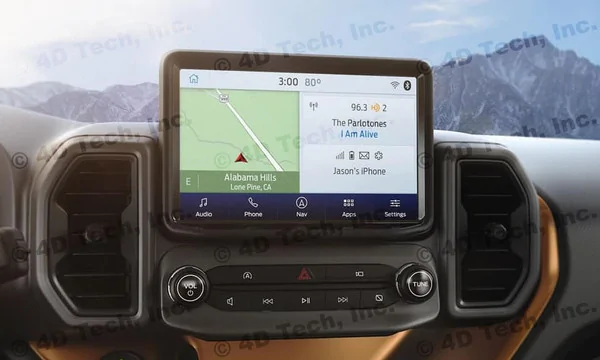
I'll have to check when I get home tonight but my screen looks pretty much like the following image when listening to an HD Radio station:
Ford Bronco Sport it does not display the time S3_Bronco_Sport_Nav__99106.1610547914
Sponsored


Top