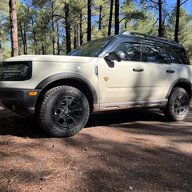

- Thread starter
- #1
Still too new, I guess.


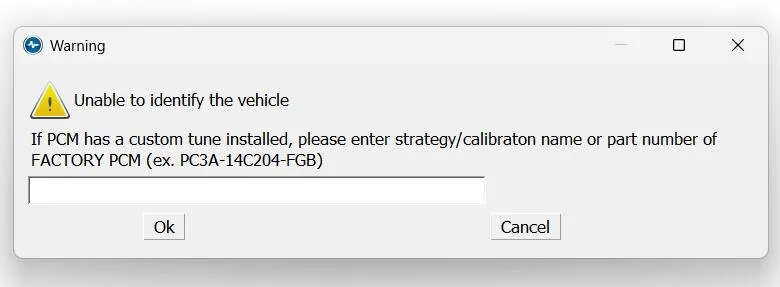
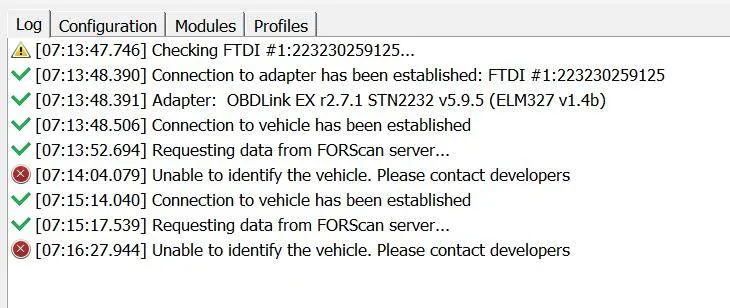

Yup, latest version. Got the report button as well, guess I’ll just wait for an update. I could be the first BS with my particular config that’s trying to use FORScan. No biggie.You have the latest FORScan version 2.3.66?
I had the same probem initially on my '25. I think there was a button to send a report to the developers. Three days later, they released a new version including more '25 vehicles. I have a paid subscription.
Timeline
2/22/25: First connected to vehicle and failed to ID vehicle.
2/25/25: FORScan 2.3.65 released, which included support for my VIN.

I can highly recommend this one: https://www.amazon.com/dp/B081VQVD3F?ref=ppx_yo2ov_dt_b_fed_asin_titleI was looking to change the timing for the rear 12 V since it stays on for who knows how long. Hooked up a dash cam and was still on several hours later. Looks like I'll wait a bit to get another Forscan device. I had one with my Mustang, but sold it.

You have a 2025 Bronco Sport Badlands Sasquatch?I was looking to change the timing for the rear 12 V since it stays on for who knows how long. Hooked up a dash cam and was still on several hours later. Looks like I'll wait a bit to get another Forscan device. I had one with my Mustang, but sold it.
I do. I'd have to see what the timing is set at in Forscan to see where they have the 25's. Nice name btw lolYou have a 2025 Bronco Sport Badlands Sasquatch?
The ‘21-‘24s 12V ports do not stay on for ‘several hours’ unless someone made a mod on the vehicle
You have a 2025 Bronco Sport Badlands Sasquatch?
The ‘21-‘24s 12V ports do not stay on for ‘several hours’ unless someone made a mod on the vehicle
I thought you were talking to yourself for a minute there...I do. I'd have to see what the timing is set at in Forscan to see where they have the 25's. Nice name btw lol
FORScan (Ford Scan) is an application that can connect to the various computer modules in a Ford or Lincoln (and many Mazdas) and be used to overwrite the factory settings to something you’d prefer. Like turning off the auto start-stop default, or the number of blinks in the momentary turn signal. Hundreds of presets can be changed.Sorry for this dumb question! What is the Forscan for? And how does it work?
Oh, niice!! Thanks for that info!FORScan (Ford Scan) is an application that can connect to the various computer modules in a Ford or Lincoln (and many Mazdas) and be used to overwrite the factory settings to something you’d prefer. Like turning off the auto start-stop default, or the number of blinks in the momentary turn signal. Hundreds of presets can be changed.
it can also read the diagnostic codes generated when anything goes awry and you get a check engine light or similar.
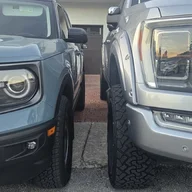
Is there any official FORScan spreadsheet for this platform, or is the plan to guide yourself by the F150 one and hope the platforms are similar enough?Had a moment and checked again this morning, it’s connecting and reading all the modules.
Now all I have to do is learn how to use it…
And yes, first thing I did was to save the as-built profile.
I don't know if there's a BS-specific spreadsheet. It's easy enough to search for a function, though.Is there any official FORScan spreadsheet for this platform, or is the plan to guide yourself by the F150 one and hope the platforms are similar enough?
For the 2025 that uses Sync 4, I would assume a lot of the things line up.I don't know if there's a BS-specific spreadsheet. It's easy enough to search for a function, though.

