Android Auto worked...for about 2 weeks

OP
OP

cgparsons1983

Badlands
Well-Known Member
First Name
Chris
Joined
Jan 3, 2022
Threads
4
Messages
162
Reaction score
231
Location
Boise, Idaho
Vehicle(s)
2022 Bronco Sport Badlands
So I got it working again. Like Bron Swanson said, I have no idea what actually worked, but it did involve resetting the master settings on the vehicle itself, deleting the cache from the Android Auto app, and deleting all paired bluetooth devices from the vehicle and phone. I also uninstalled the latest Android Auto updates on the app itself. The weird thing was I had already tried everything and basically had given up, then a couple of hours later I went back to the vehicle and turned it on, plugged in the phone, and it went through the Android Auto setup again and since then it has been working. I'm not going to hold my breath though, it seems like a very finicky system.
annnnnnnnnd update a day later...stopped working again. Android Auto officially sucks.
Sponsored


JerryC

Badlands
Well-Known Member
Joined
Mar 19, 2021
Threads
3
Messages
577
Reaction score
936
Location
Memphis TN
Vehicle(s)
1988 BII , 2021 BL on order 3-19-21
Wild guess... Have you updated sync to the latest version?
 
OP
OP

cgparsons1983

Badlands
Well-Known Member
First Name
Chris
Joined
Jan 3, 2022
Threads
4
Messages
162
Reaction score
231
Location
Boise, Idaho
Vehicle(s)
2022 Bronco Sport Badlands
Wild guess... Have you updated sync to the latest version?
Well I set up wifi with the vehicle and set everything to update automatically so it should be but I'll check
 

JerryC

Badlands
Well-Known Member
Joined
Mar 19, 2021
Threads
3
Messages
577
Reaction score
936
Location
Memphis TN
Vehicle(s)
1988 BII , 2021 BL on order 3-19-21
I forced mine to update. It took hours and seemed to stop everytime the accessory power timed out. I must've powered it back on and restarted the process at least five times. It did pick up where it had stopped each time.
 
OP
OP

cgparsons1983

Badlands
Well-Known Member
First Name
Chris
Joined
Jan 3, 2022
Threads
4
Messages
162
Reaction score
231
Location
Boise, Idaho
Vehicle(s)
2022 Bronco Sport Badlands
I forced mine to update. It took hours and seemed to stop everytime the accessory power timed out. I must've powered it back on and restarted the process at least five times. It did pick up where it had stopped each time.
I checked, mine was already updated.


tjbronco

Big Bend
Well-Known Member
First Name
Tim
Joined
Mar 19, 2022
Threads
4
Messages
112
Reaction score
162
Location
44118
Vehicle(s)
2022 Ford Bronco Sport, 2020 Subaru Outback
FYI - I had a similar issue a while back - could not find a fix on any of the boards. By accident I found the solution. In the Android Auto app on your phone, turn off the "Use Bluetooth" option. Android auto doesn't work with Bluetooth - it needs the USB cable - and having that option turned on would disrupt the USB connection. Once I turned that off, my Android auto connects everytime.
 
OP
OP

cgparsons1983

Badlands
Well-Known Member
First Name
Chris
Joined
Jan 3, 2022
Threads
4
Messages
162
Reaction score
231
Location
Boise, Idaho
Vehicle(s)
2022 Bronco Sport Badlands
FYI - I had a similar issue a while back - could not find a fix on any of the boards. By accident I found the solution. In the Android Auto app on your phone, turn off the "Use Bluetooth" option. Android auto doesn't work with Bluetooth - it needs the USB cable - and having that option turned on would disrupt the USB connection. Once I turned that off, my Android auto connects everytime.
Thanks for the suggestion. Didn't help though.
 

Bdud

Base
Well-Known Member
First Name
Brian
Joined
Mar 16, 2022
Threads
3
Messages
49
Reaction score
24
Location
Chicago
Vehicle(s)
Bronco sport
FWIW, I have to let Sync fully boot up before connecting my phone.
Then I have to unlock my phone, a few seconds later AA will come up on Sync.
The cable/phone connection is iffy unless I put my phone in the cubby directly under the screen. Otherwise the cable bumps the console and loses the connection to Sync.

I have an old phone, moto 6g.
I have non of these issues. I just plug my phone in whenever and it just pops up almost instantly
 

Michigunman

Outer Banks
Well-Known Member
Joined
Nov 12, 2021
Threads
3
Messages
94
Reaction score
149
Location
Georgia
Vehicle(s)
2021 Bronco Sport
As far as SYNC being updated - in the car under auto updates it said it was up to date. However in the Ford Pass App it said there was a newer version. I ended up having to download it to a USB flash drive and install it that way. It would not update via wifi, or even indicate it needed an update.
Current version is SYNC3 v3.4.21194.


Michigunman

Outer Banks
Well-Known Member
Joined
Nov 12, 2021
Threads
3
Messages
94
Reaction score
149
Location
Georgia
Vehicle(s)
2021 Bronco Sport
Where in the Ford Pass App did you find the version information?
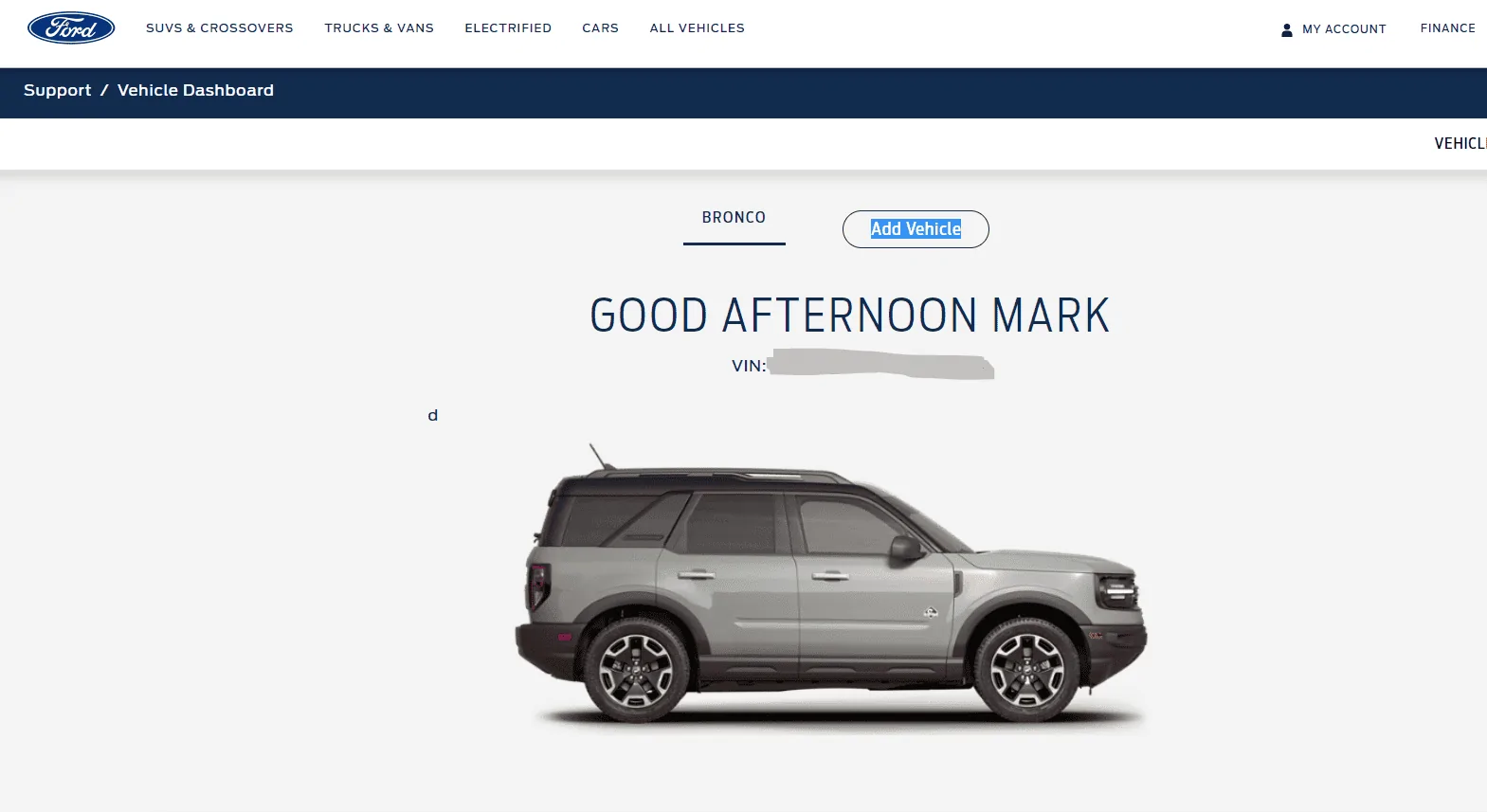
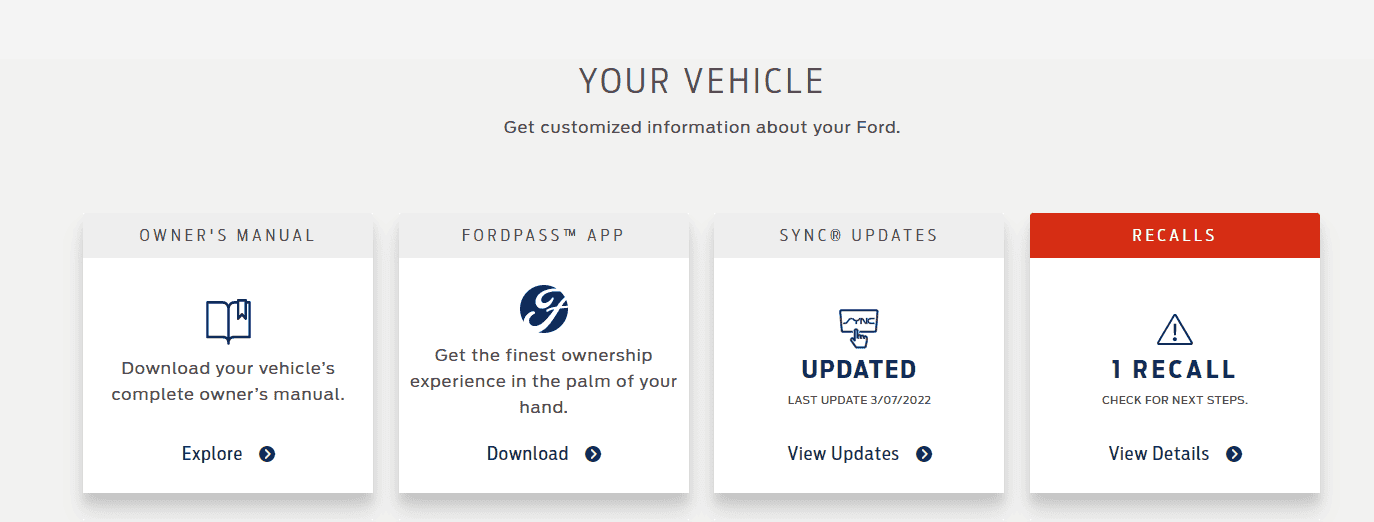
Sorry I mis spoke. It wasn't through the Ford Pass App. It was through ford.com > My Account > Dashboard.

Ford Bronco Sport Android Auto worked...for about 2 weeks 1647801383402
Ford Bronco Sport Android Auto worked...for about 2 weeks 1647801246465


Ford Bronco Sport Android Auto worked...for about 2 weeks 1647801246465
 
OP
OP

cgparsons1983

Badlands
Well-Known Member
First Name
Chris
Joined
Jan 3, 2022
Threads
4
Messages
162
Reaction score
231
Location
Boise, Idaho
Vehicle(s)
2022 Bronco Sport Badlands
Sorry I mis spoke. It wasn't through the Ford Pass App. It was through ford.com > My Account > Dashboard.

Ford Bronco Sport Android Auto worked...for about 2 weeks 1647801383402
Ford Bronco Sport Android Auto worked...for about 2 weeks 1647801246465


Ford Bronco Sport Android Auto worked...for about 2 weeks 1647801246465
I appreciate the suggestion but mine just says, "Your SYNC system (SYNC3 v3.4.21194) is up to date."
 
OP
OP

cgparsons1983

Badlands
Well-Known Member
First Name
Chris
Joined
Jan 3, 2022
Threads
4
Messages
162
Reaction score
231
Location
Boise, Idaho
Vehicle(s)
2022 Bronco Sport Badlands
As far as SYNC being updated - in the car under auto updates it said it was up to date. However in the Ford Pass App it said there was a newer version. I ended up having to download it to a USB flash drive and install it that way. It would not update via wifi, or even indicate it needed an update.
Current version is SYNC3 v3.4.21194.
So when I try to download the file, it won't even let me because it says mine is already up to date. Is there any way you can send me the file (like through a private message) so I can see if I can force it to update? I'm curious since you said your app in the vehicle didn't say it needed updating and gave you no option to do so.
 

Michigunman

Outer Banks
Well-Known Member
Joined
Nov 12, 2021
Threads
3
Messages
94
Reaction score
149
Location
Georgia
Vehicle(s)
2021 Bronco Sport
So when I try to download the file, it won't even let me because it says mine is already up to date. Is there any way you can send me the file (like through a private message) so I can see if I can force it to update? I'm curious since you said your app in the vehicle didn't say it needed updating and gave you no option to do so.
Based on what you posted above your SYNC is up to date - SYNC3 v3.4.21194 is the current version. I'd send you the file anyway but it's 8 Gig.

BTW I also have a Galaxy S10 and have no problems. It connects up as soon as I plug it in. The only problem I had was with the first cable I was using. If I would so much as touch the phone or cable it would disconnect and I would have to unplug replug the USB.

Sorry you are having so much trouble with yours. Maybe look/post on some Android Auto forums.
Sponsored


Top