



Yes. Sounds like that could possibly be the subtle difference in upgrade software requirements.Does @SeaJay have Ford Navigation?

When I called the excuse was that they were “moving a lot if files around”. I spent 40 years designing and coding commercial software and the Internet has dragged user expectations lower and lower, but such an easy fix as not being able to stick one file in the correct directory is a new low. Especially after it was working for a day or two a couple of weeks ago!@SeaJay have you been able to find the Sync update that works for your Ford Navigation equipped vehicle?
Did you try calling the Sync3 team (833-389-0848) to find out why the Ford Sync website has been broken for over a month now?

Similar experiences for me … and I agree with you is unacceptable on the part of Fords website team. Lots of owners depend on a reliable Sync website.When I called the excuse was that they were “moving a lot if files around”. I spent 40 years designing and coding commercial software and the Internet has dragged user expectations lower and lower, but such an easy fix as not being able to stick one file in the correct directory is a new low. Especially after it was working for a day or two a couple of weeks ago!
I was guessing the long downtime might be related to the FordPass improvements coming on or soon after 1/5/2024 and/or related to Ford changing Cloud service providers (these are both just guesses on my part).
Thanks for asking, @Jmuns sent me a copy that may do the trick. Just catching up on things after a Holiday Vacation to the threshold of hell. Downloaded it tonight and hope to try the update tomorrow.@SeaJay have you been able to find the Sync update that works for your Ford Navigation equipped vehicle?
Did you try calling the Sync3 team (833-389-0848) to find out why the Ford Sync website has been broken for over a month now?
Ford website working again was expected around 1/5/2024 when the FordPass Rewards improvements came online@Jmuns download for the win! But ironically the Ford download site seems to also be working again which I did not find out until after I was done and went to report the update to Ford. Now on to the Nav update . . . (which I have downloaded from Ford since they are up and running again)
If you use the FordPass App, under Account is FordPass Rewards … you’ll see some updates Ford made to their Rewards Program.
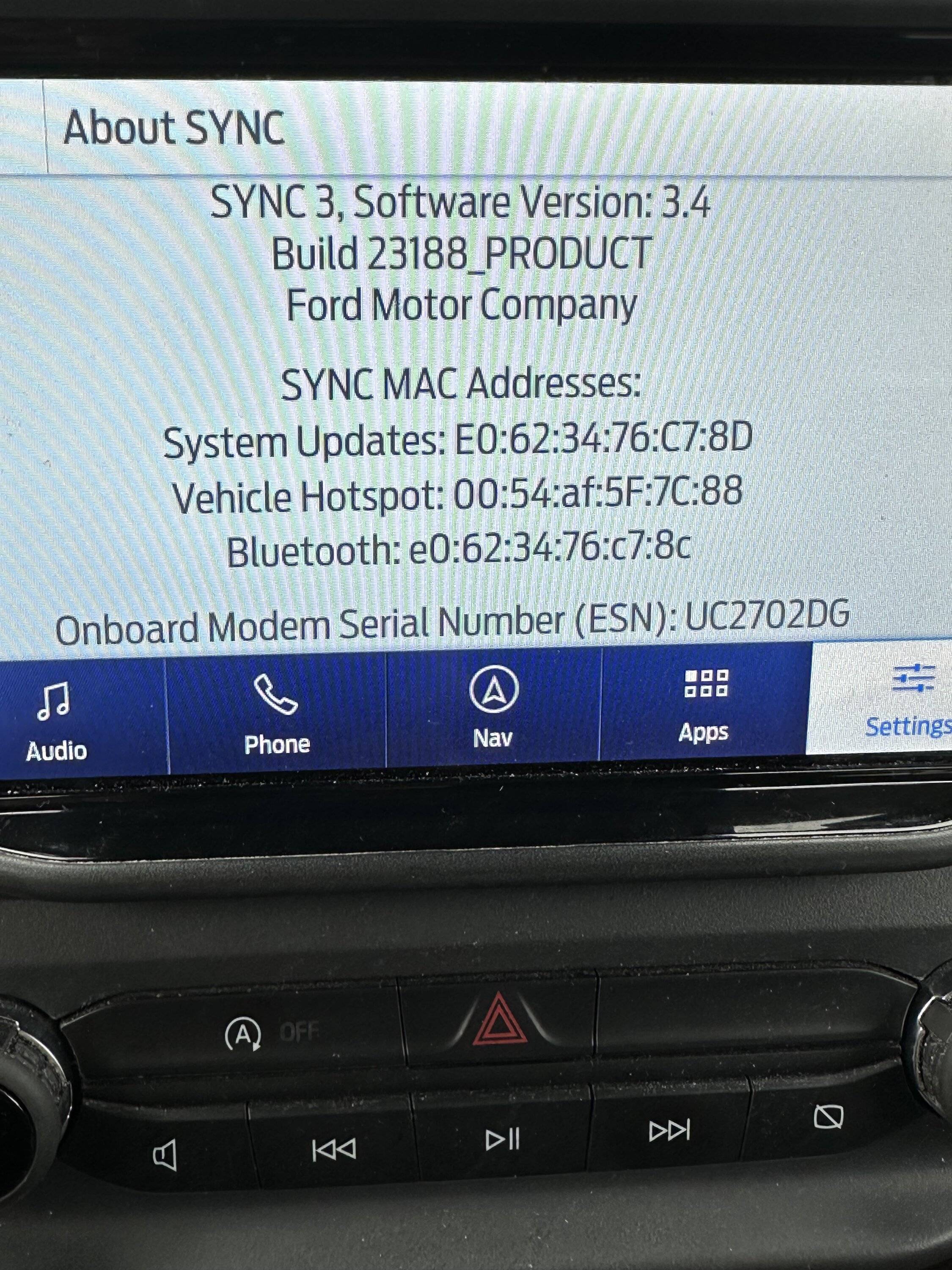
Happy to hear you have the Sync 23188 version now.

Wish I'd known of this months ago. Noticed some things that used to work, slowly stopped working. I did the USB install and everything is back working great, including the wifi updates.Sync 3.4 Build 23188 now available directly from Ford. Updating now with USB flash drive.
https://www.ford.com/support/sync-maps-updates/
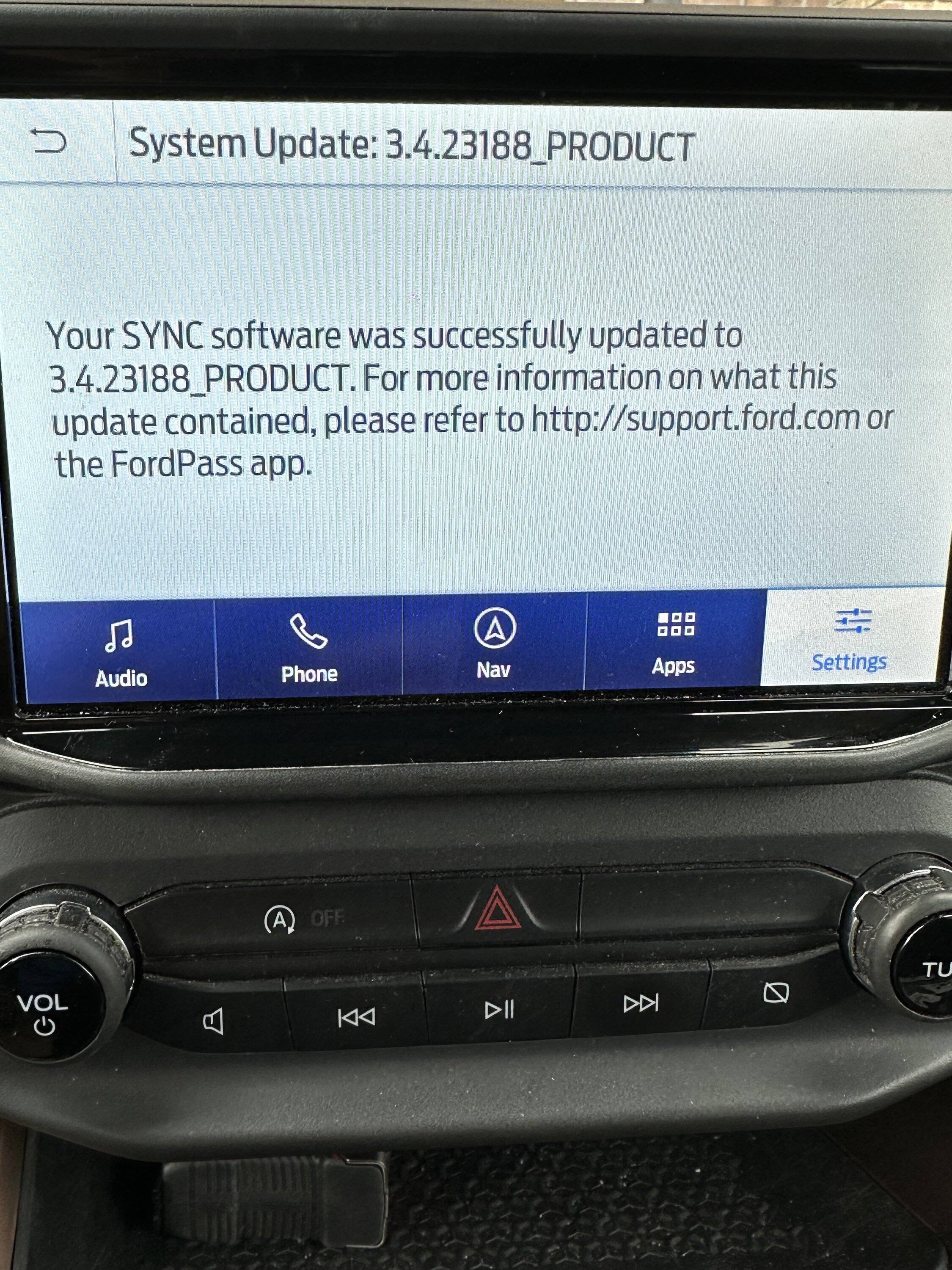
Update through Wi-Fi from the vehicle is also now available. I updated by downloading to a computer and using a USB flash drive. FOLLOW INSTRUCTIONS.
This is a quick and easy download. Installation took 10 minutes.
Hopefully, this update addresses the Build 22251 issues.
Make sure you do a key cycle after installation. I also did a master reset and paired my phones again. You will have to reset your SiriusXM presets after a master reset. It will take some time for the SiriusXM station logos to repopulate.
I also had to perform a reactivation of Ford Pass. My in vehicle Wi-Fi hotspot now works again.
Overall, I am very satisfied after all the frustration.
This update corrects all the issues.


- First Name
- Steve
- Joined
- Oct 18, 2023
- Threads
- 11
- Messages
- 130
- Reaction score
- 172
- Location
- Markham, ON, Canada
- Vehicle(s)
- 2023 Ford Bronco Sport Badlands AKA: DONK
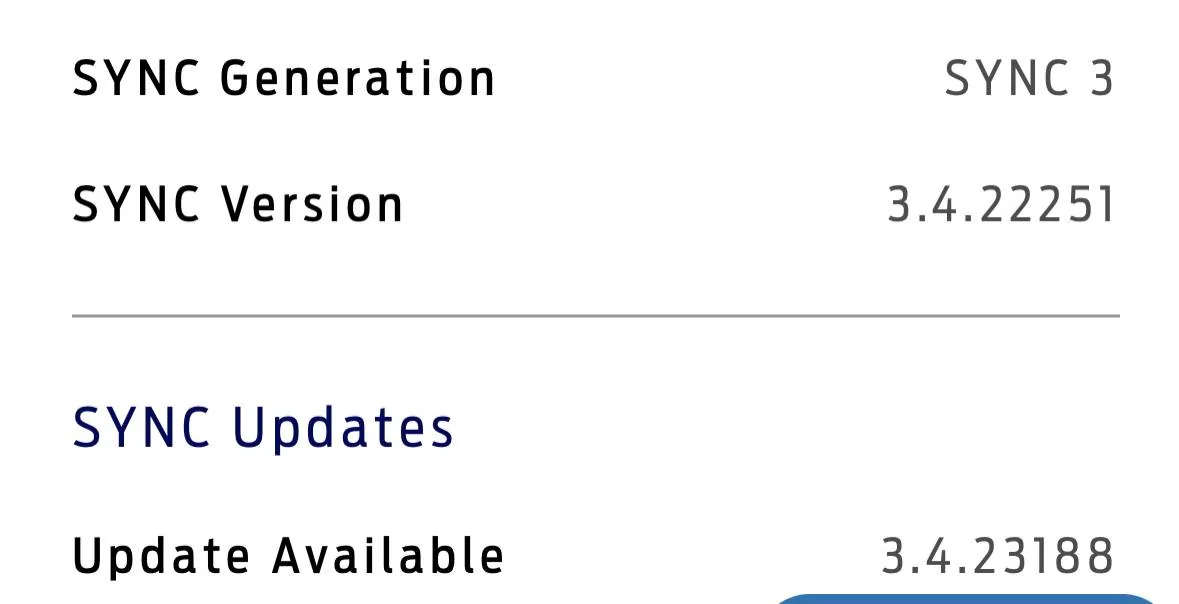
I did the update over wifi. Sync 3 is now at 3.4.23188 but when I log into my account on the Ford website, it still says I'm on 3.4.22251 and it's telling me the update to 3.4.23188 is available. Anyone else have this?
- First Name
- Mark
- Joined
- Oct 30, 2021
- Threads
- 119
- Messages
- 6,733
- Reaction score
- 13,150
- Location
- St. Jacob, IL
- Vehicle(s)
- 2021 Badlands | 2020 Escape
This happens sometimes. I've had success in getting my car to update Ford by connecting SYNC to a WiFi source, then requesting an update via the SYNC interface.I did the update over wifi. Sync 3 is now at 3.4.23188 but when I log into my account on the Ford website, it still says I'm on 3.4.22251 and it's telling me the update to 3.4.23188 is available. Anyone else have this?
- First Name
- Steve
- Joined
- Oct 18, 2023
- Threads
- 11
- Messages
- 130
- Reaction score
- 172
- Location
- Markham, ON, Canada
- Vehicle(s)
- 2023 Ford Bronco Sport Badlands AKA: DONK
Thanks, I'll try that.This happens sometimes. I've had success in getting my car to update Ford by connecting SYNC to a WiFi source, then requesting an update via the SYNC interface.
- First Name
- Steve
- Joined
- Oct 18, 2023
- Threads
- 11
- Messages
- 130
- Reaction score
- 172
- Location
- Markham, ON, Canada
- Vehicle(s)
- 2023 Ford Bronco Sport Badlands AKA: DONK
I did the update over wifi.Did you complete the last step and upload the log file from the install session? Mine updated online 24 hours later.
Congratulations. I never got that to work and always have to use a USB stick.I did the update over wifi.
Sponsored