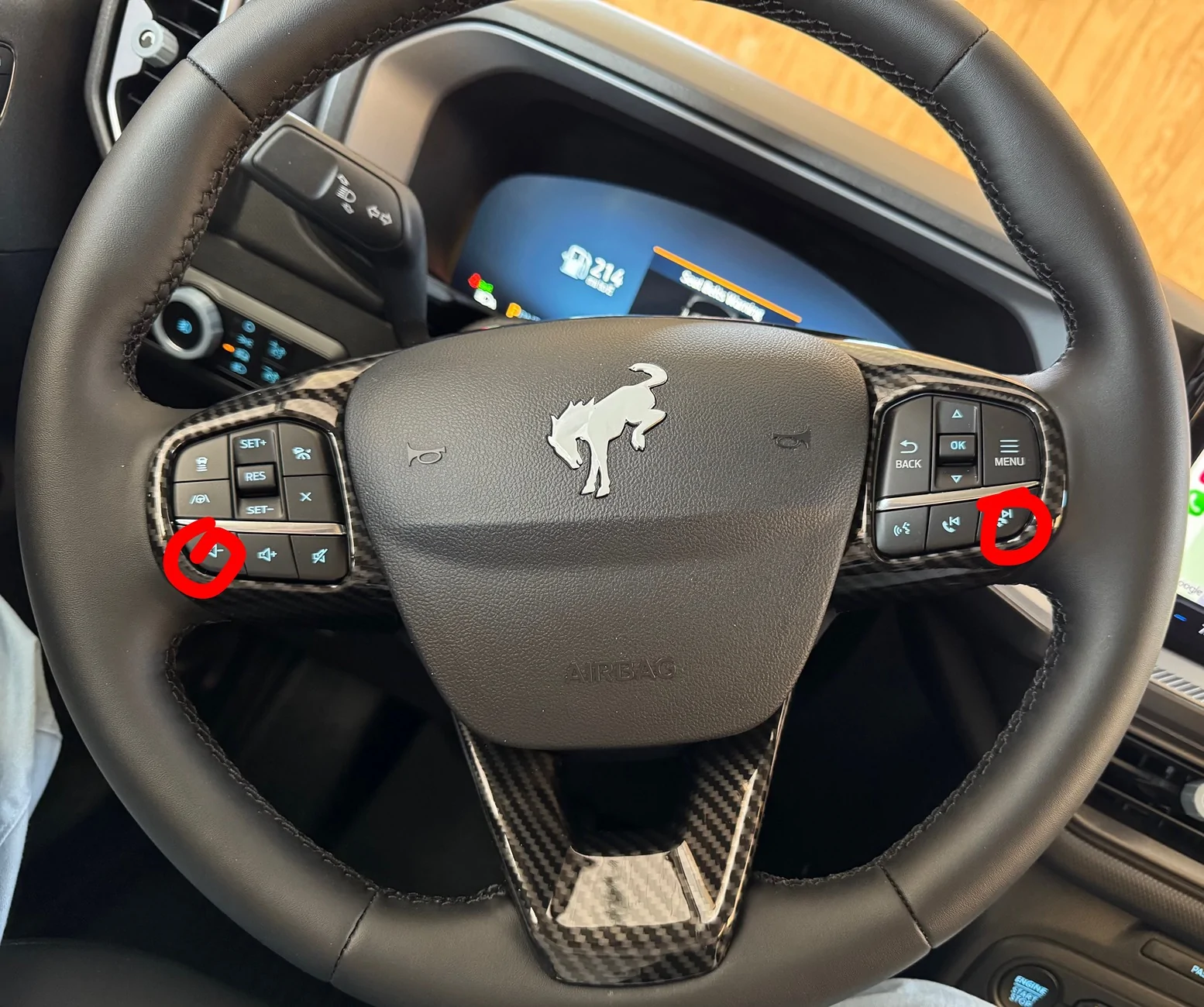
Yes, my phone connects with carplay (most of the time). I rarely use anything except phone and maps (GPS). I‘ve read the manual, and nothing directly relates to the glitch I’m experiencing. I‘d like to reset my Sync (SYNC 4 W/EVR), but I’m unclear on which 2 buttons to push to reset it.
After extensive googling, I found something that *might* have something to do with it, but it’s beyond my 75-year old brain capacity to understand it: VPN on my Verizon phone. I don’t know what it is, and what will happen if I turn it off on my phone. I know it will make me less private, but I don’t know what that means in real life. So it may be an iPhone or Verizon thing; not a Ford thing.
Here is an excerpt that google tells me:
Why VPNs Interfere with CarPlay
Blocked Local Traffic: Security settings like a "Kill Switch" or strict local network blocking prevent your phone from communicating with external local devices like your car stereo.
Network Disruption: Wireless CarPlay relies heavily on a direct Wi-Fi and Bluetooth peer-to-peer connection that VPN software often redirects or drops.